Install Libreboot on Supermicro X11SSH-(LN4)F
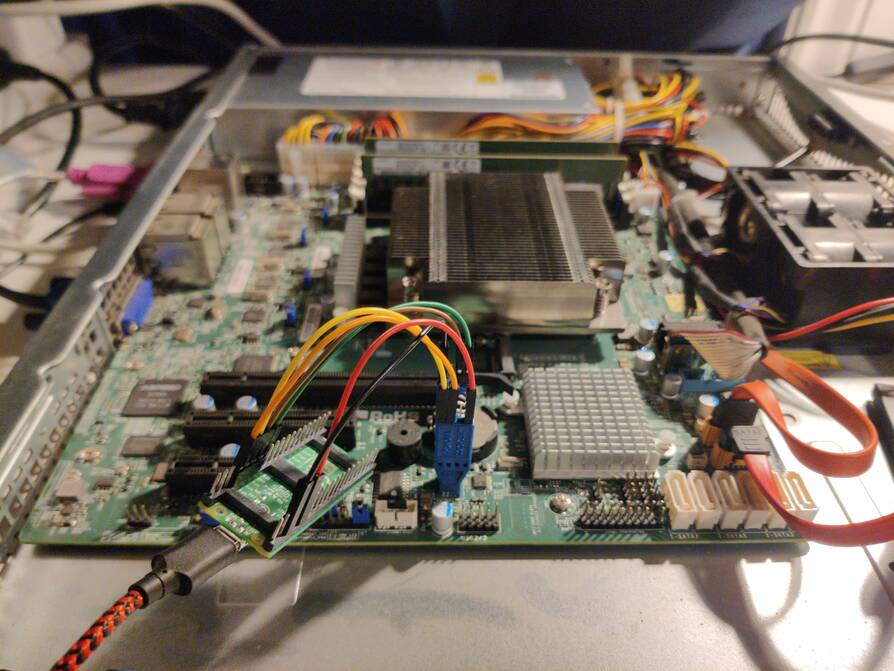
| Specifications | |
|---|---|
| Manufacturer | Supermicro |
| Name | X11SSH-(LN4)F |
| Variants | X11SSH-F / X11SSH-LN4F |
| Released | 2017 |
| Chipset | Intel C236 |
| CPU | LGA 1151; Intel 6-9th gen. 80W TDP |
| Graphics | iGPU on cpu, but no display output |
| Memory | 64GB DDR4 SODIMMs (4x16 GB), ECC |
| Architecture | x86_64 |
| Original boot firmware | Supermicro |
| Intel ME/AMD PSP | SPS->ME disabled with me_cleaner *1 |
| Flash chip | SOIC-8 16MiB |
W+: Works without vendor firmware;
N: Doesn't work;
W*: Works with vendor firmware;
U: Untested;
P+: Partially works;
P*: Partially works with vendor firmware
?: UNKNOWN AT THIS TIME| Features | |
|---|---|
| Internal flashing with original boot firmware | N |
| Display (if Intel GPU) | N |
| Audio | N |
| RAM Init | W* |
*1 The server Intel ME (SPS), which is the server version of the ME. One difference is that SPS does not support CPU replacement detection, so it always redoes DRAM training from scratch on every boot, which makes booting take longer. Libreboot replaces SPS with ME, which fixes this.
Get the ROM image
Download from release
If you’re using a release ROM, please ensure that you’ve inserted extra firmware required refer to the guide for that (, failure to adhere to this advice will result in a bricked machine):
- Intel ME (vendor blob)
- Intel FSP (vendor blob)
Build from source
To build it from source for both X11SSH-F/LN4F:
./mk -b coreboot supermicro_x11ssh_f_16mbInternal/Software Flashing
Default Libreboot firmwares updatable.
External/Hardware Flashing
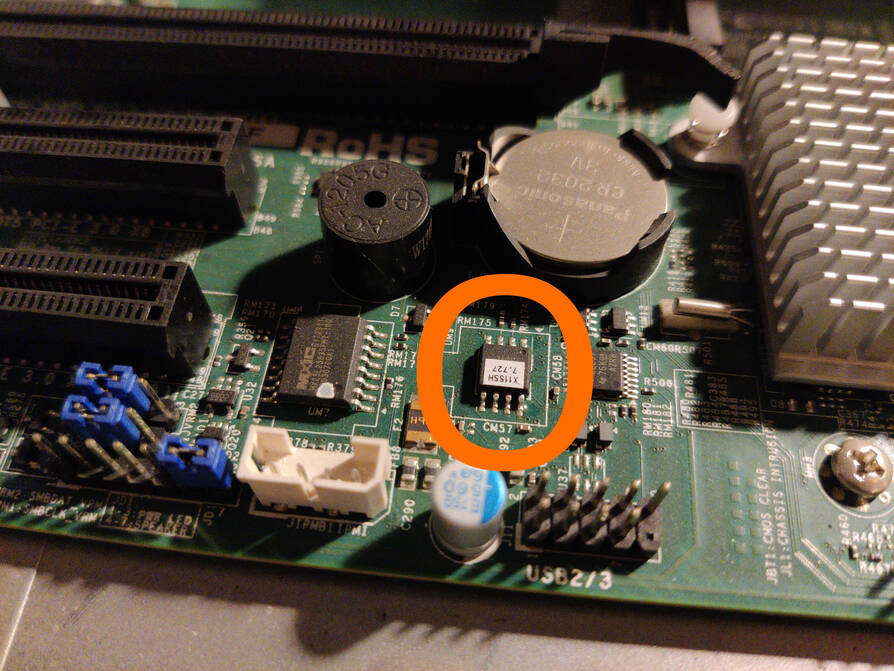
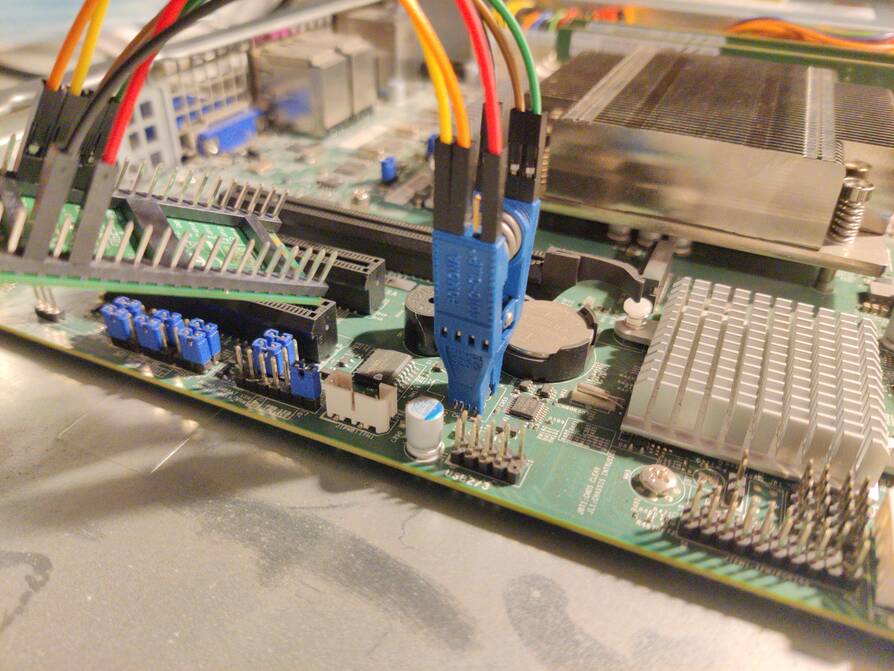

That 16MB soic-8 flash chip is below the battery, highlighted, usually covered with a sticker and sometimes socketed, The other one is a 32MB soic_16 BMC flash chip next to the previous one.
Check the hw-flashing guide before moving onto the next step below.
Flash it: (With rpi-pico as an example, edit the line if needed.)
flashprog -p serprog:dev=/dev/ttyACM0,spispeed=16M -w filename.rom6-8 core processor support
- A pin mod is needed.
Replacable Baseboard Management Controller firmware
The Aspeed AST2400 BMC vendor firmware can be replaced with OpenBMC
Incomplete, does not boot the system and not yet used with libreboot. See
To disable it instead, shorting it’s jumper pins would work.
Not yet used/tested with libreboot.
Display output, graphics acceleration and gpu offload
On the motherboard the BMC is used for display output. You just won’t have any hardware graphics acceleration whatsoever and will be limited to 1920x1200.
However the igpu on the processor could be used to offload lighter softwares. For desktop environment (DE) using a dedicated gpu is advised (for display output too).
With switcheroo_control; the DE, image/video encode/decode and browser ones can be used on the integrated one, while using the more powerful one for editing,gaming,computing and/or whatever needs more horse power. (Of course, it is selectable which gpu shall be used for any program.)
(Provided the iGPU is not disabled if the dGPU added or using 2 dGPUs.)
Not working
- S3 resume not working (vendor and coreboot)
- No iGPU output via vga port (Wired directly to BMC and it is used for output without graphics acceleration.)
Expanded_Specifications
| Specifications | |
|---|---|
| Manufacturer | Supermicro |
| Name/Variant | X11SSH-F / X11SSH-LN4F |
| Released | 2017 |
| Chipset | Intel C236 |
| CPU with venfor fw. | LGA 1151; Intel 6th gen. Core + Xeon E3-12xx v5 & 7th gen. Core + Xeon E3-12xx v6 processors, up to 80W TDP |
| CPU with LibreBoot fw. | LGA 1151; vendor fw. supported cpus included and Intel 8th gen. Core with B0 stepping; i3, Pentium Gold and Celeron + 9th gen. Core with B0 stepping; i3, Pentium Gold, Celeron processors, up to 80W TDP (8th & 9th gen. desktop processors support ecc memories.) |
| Graphics | iGPU on cpu, but no display output |
| Audio | None |
| Memory | DDR4 SODIMMs (max 64 GB, 4x16 GB) |
| Networking | Intel I210-AT; 2 for X11SSH-F, 4 for X11SSH-LN4F |
| Expansion Slots | 4 PCIe 3.0; x16 wired in x8, x8, x8 wired in x4 and M.2 key M in x2 with 2280 size |
| Storage connectors | 8x S-ATA III |
| Other connectors/headers | USB 3.0 , Headers; TPM, dual USB 3.0 and 2x dual USB 2.0, Custom SCOM. |
| I/O Ports on Back | SCOM (RS-232), 2x USB 2.0, 2x USB 3.0, 3x/5x RJ-45 1GbE (Ethernets); 1 wired to the BMC directly and 2 normal (+2 for X11SSH-LN4F) |
| Super I/O or BMC | ASPEED AST2400 |
Most detailed Here.
Markdown file for this page: https://libreboot.org/docs/install/supermicro_x11ssh_f_ln4f.md
This HTML page was generated by the Libreboot Static Site Generator.