Install Libreboot on HP EliteBook Folio 9470m
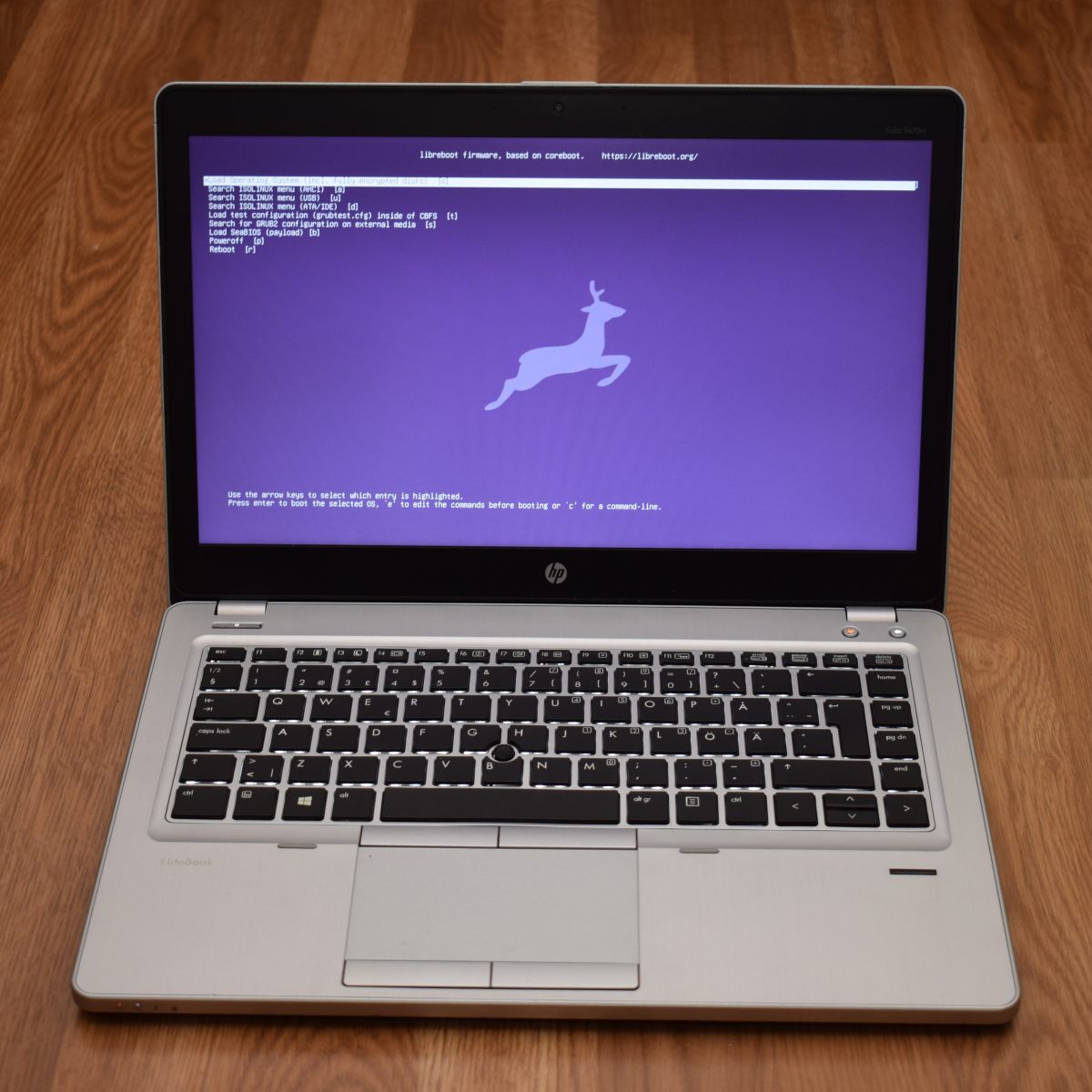
| Specifications | |
|---|---|
| Manufacturer | HP |
| Name | EliteBook Folio 9470m |
| Released | 2012 |
| Chipset | Intel QM77 |
| CPU | Intel Ivy Bridge ULV |
| Graphics | Intel HD 4000 |
| Display | 14" 1366x768 / 1600x900 |
| Memory | 16GB DDR3L SODIMMs (2x8 GB) |
| Architecture | x86_64 |
| EC | SMSC KBC1126, proprietary |
| Original boot firmware | HP UEFI firmware |
| Intel ME/AMD PSP | Present, disabled with me_cleaner. |
| Flash chip | SOIC-8 16MiB |
Get the ROM image
Download from release
If you’re using a release ROM, please ensure that you’ve inserted extra firmware required refer to the guide for that (, failure to adhere to this advice will result in a bricked machine):
- Intel ME (vendor blob)
Build from source
./mk -b coreboot hp_elitebook_9470m_16mbInternal/Software Flashing
Default Libreboot firmwares updatable.
External/Hardware Flashing
Remove the battery.
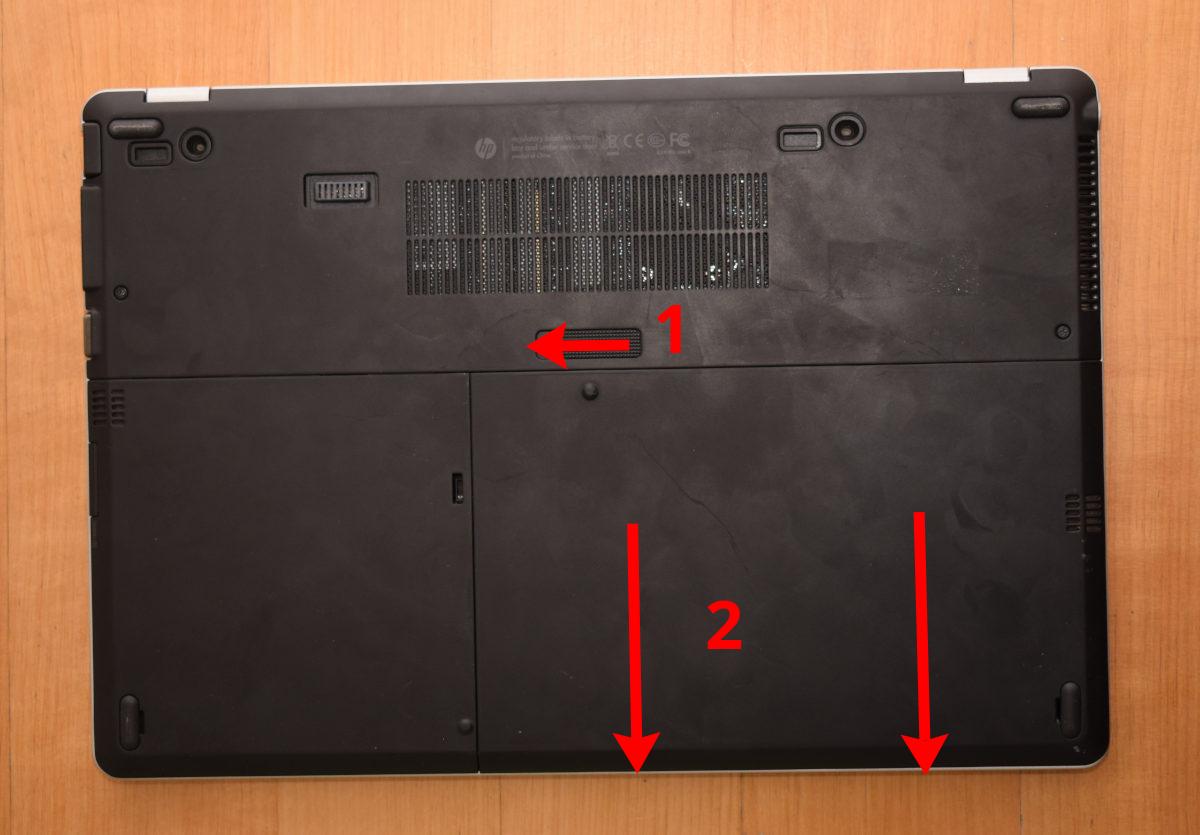
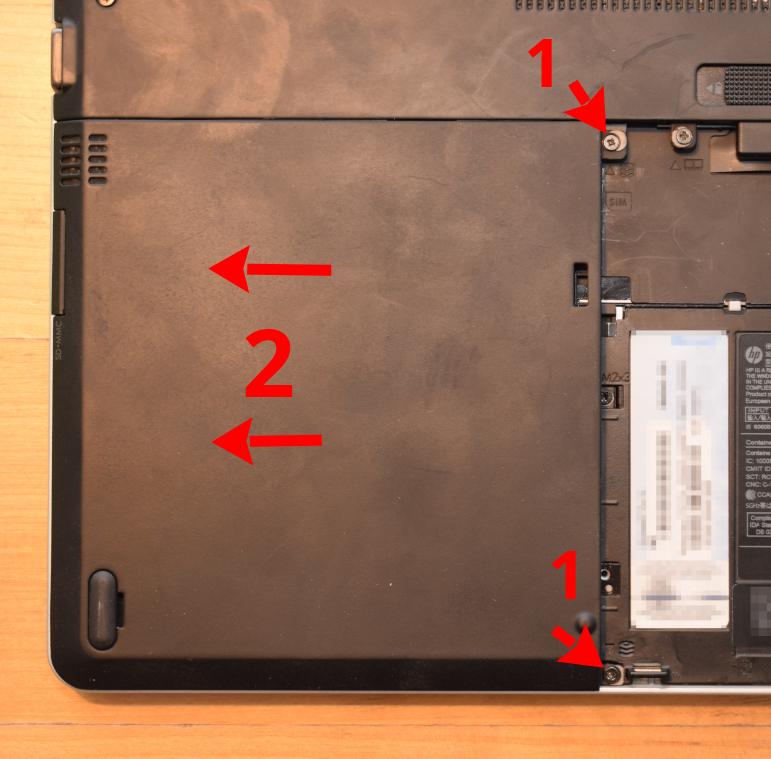
Open the two screws marked with the three-disc icons. Slide the HDD panel out and remove it.
The flash chip is now comfortably accessible. Now refer to the external programming guide for guidance on how to program Libreboot on it.
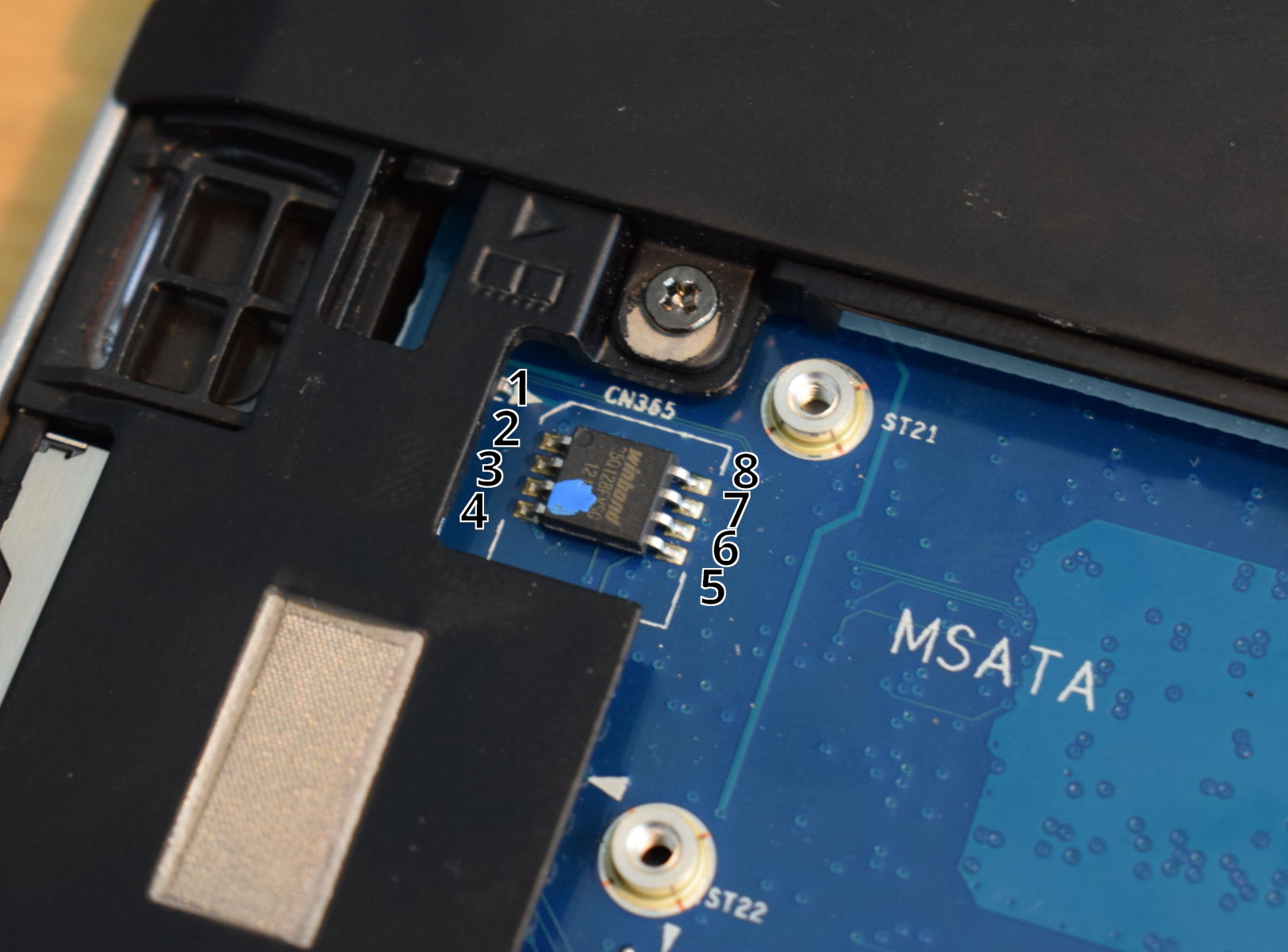
Some part of the board might turn on when programming. If programming fails, you might have to attach the laptop to a charger. Make sure the laptop powers off & disconnected the vcc on the programmer before running flashprog. No LEDs should be lit.
Check the hw-flashing guide before moving onto the next step below.
Flash it: (With rpi-pico as an example, edit the line if needed.)
flashprog -p serprog:dev=/dev/ttyACM0,spispeed=16M -w filename.romSet MAC address
This platform uses an Intel Flash Descriptor, and defines an Intel GbE NVM region. As such, release/build ROMs will contain the same MAC address. To change the MAC address, please read nvmutil documentation.
Expanded_Specifications
*1 HP Docking Stations compatible; HSTNN-I16X models
Markdown file for this page: https://libreboot.org/docs/install/hp9470m.md
This HTML page was generated by the Libreboot Static Site Generator.