Install Libreboot on HP EliteBook 8460p/8470p
!!BACKUP everything!! just in case something fails.
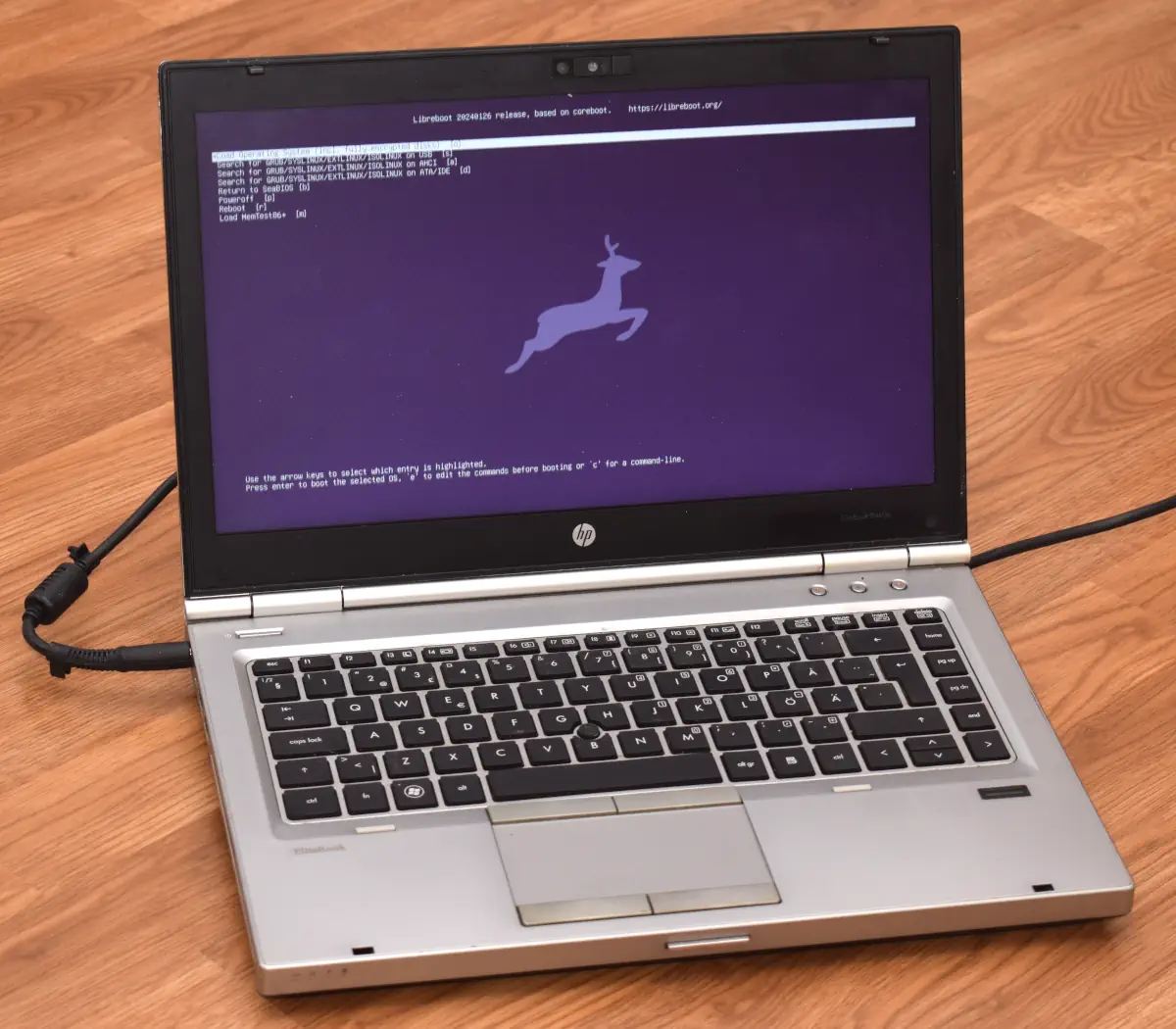
| Specifications | |
|---|---|
| Manufacturer | HP |
| Name | EliteBook 8460p/8470p |
| Released | 2011/2012 |
| Chipset | Intel QM67/QM77 |
| CPU | Socket G2, Intel Sandy Bridge/Ivy Bridge |
| Graphics | Intel HD 3000 / HD 4000 , optional AMD Radeon HD 6470M/7570M (unsupported in Libreboot) |
| Display | 14" 1366x768 or 1600x900 TFT |
| Memory | DDR3L SODIMMS (max. 16 GB, 2x8 GB) |
| Architecture | x86_64 |
| EC | SMSC KBC1126, proprietary (in main boot flash) |
| Original boot firmware | HP UEFI firmware |
| Intel ME/AMD PSP | Present. Can be disabled with me_cleaner. |
| Flash chip | SOIC-8 8MiB (64Mbit) |
W+: Works without vendor firmware;
N: Doesn't work;
W*: Works with vendor firmware;
U: Untested;
P+: Partially works;
P*: Partially works with vendor firmware| Features | |
|---|---|
| Internal flashing with original boot firmware | N |
| Display (if Intel GPU) | W+ |
| Audio | W+ |
| RAM Init | W+ |
| External output | W+ |
| Display brightness | W+ |
| Payloads supported | |
|---|---|
| GRUB | Works |
| SeaBIOS | Works |
| SeaBIOS with GRUB | Works |
Get the ROM image
Download from release
If you’re using a release ROM, please ensure that you’ve inserted extra firmware required refer to the guide for that (, failure to adhere to this advice will result in a bricked machine):
- Intel ME
Build from source
For the older one:
./mk -b coreboot hp_elitebook_8460p_gpu_intel_8mb_uefiFor the newer one
./mk -b coreboot hp_elitebook_8470p_gpu_intel_16mb_uefiFlash a ROM image
Software
Before internal flashing, Disable /dev/mem protection first.
In short add this kernel parameter: iomem=relaxed(linux distro)/kernel.securelevel=-1(bsd distro)
THEN REMOVE THIS KERNEL PARAMETER TO PREVENT UNAUTHORIZED/MALICIOUS ACCESS TO YOUR SYSTEM AFTER FLASHING LIBREBOOT.
(An important reminder for those who might forget to delete it, even better, replace it with lockdown=integrity / lockdown=confidentiality)
Backup the previous (working) firmware (atleast) twice (to check and compare if reading it gone wrong and backups differs.)
flashprog -p internal -r Backup1.bin

flashprog -p internal -r Backup2.bin
Check and compare those if reading from the flash were successful:
diff Backup1.bin Backup2.binFor more than 2:
shasum Backup1.bin Backup2.bin Backup3.binIf those differs, something gone wrong and proceeding further may (DON’T) leave your device unrecoverable (without a reliable backup) if flashing fails as well.
If you’re already running Libreboot, and you don’t have flash protection turned on, internal flashing is possible.
Hardware
For general information, please refer to 25xx NOR flash instructions - that page refers to use of socketed flash.
Backup the previous (working) firmware twice (to check and compare if reading it gone wrong and backups differs.)
flashprog -p serprog:dev=/dev/ttyACM0,spispeed=16M -r Backup1.bin

flashprog -p serprog:dev=/dev/ttyACM0,spispeed=16M -r Backup2.bin
Check and compare those if reading from the flash were successful:
diff Backup1.bin Backup2.binFor more than 2:
shasum Backup1.bin Backup2.bin Backup3.binIf those differs, something gone wrong and proceeding further may (DON’T) leave your device unrecoverable (without a reliable backup) if flashing fails as well.
REMOVE all power sources like battery, charger and so on, before doing this. This is to prevent short circuiting and power surges while flashing.
At this present time, disassembly instructions are unavailable from the Libreboot project, but you can search for HP’s own hardware maintenance manual or look at videos online showing disassembly.
8460p
The flash chip is visible by removing the “bottom door” panel. But the frame makes it hard to put a clip on it, so it’s recommended to follow the HP service manual to remove the bottom cover, as it’s called.
8470p
The flash is near the RAM, top side. (sorry, I forgot to take photos when testing this, but they can be added here at a later date)
Set MAC address
This platform uses an Intel Flash Descriptor, and defines an Intel GbE NVM region. As such, release/build ROMs will contain the same MAC address. To change the MAC address, please read nvmutil documentation.
Expanded_Specifications
Difference: 8460p / 8470p
*1 HP 2012 Docking Stations compatible; HSTNN-I11X models
Markdown file for this page: https://libreboot.org/docs/install/hp8460p.md
This HTML page was generated by the Libreboot Static Site Generator.