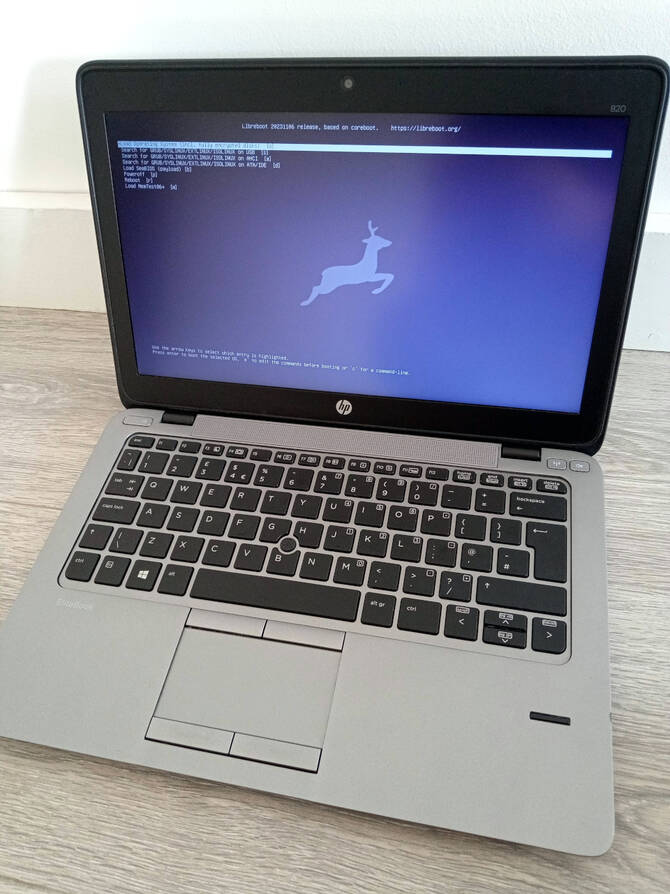
Install Libreboot on HP EliteBook 720/820/840/850 G2, ZBook 14/15u G2
| Specifications | |
|---|---|
| Manufacturer | HP |
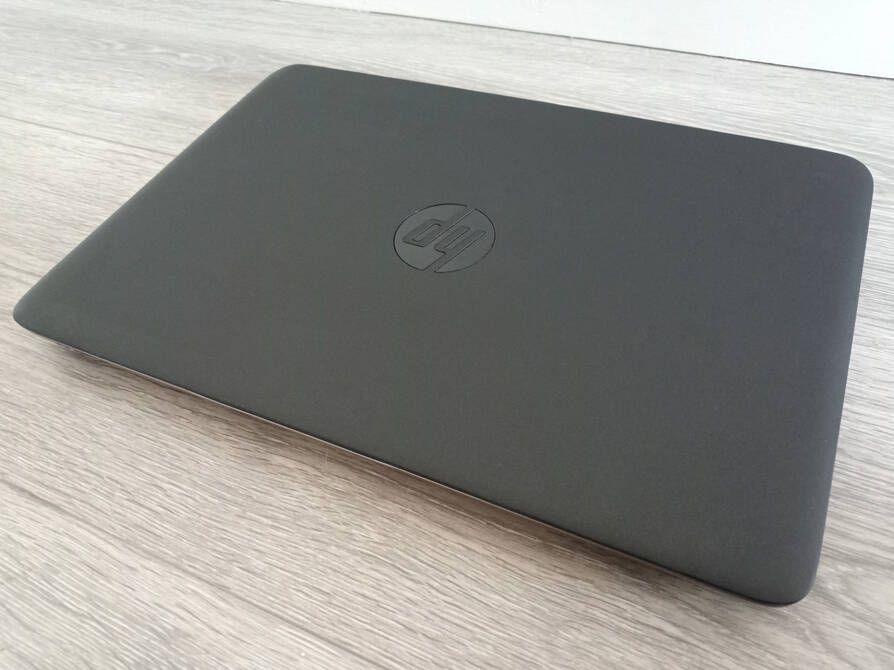
| Name | EliteBook 820 G2 |
| Variants | EB 7/8*0 G2, ZBook 14/15u G2 |
| Released | 2014 |
| Chipset | Wildcat Point-LP |
| CPU | Intel i5-5200U->i7-5600U |
| Graphics | Intel HD 5500 |
| Display | 12,5“->15,6”; 1366x768->1920x1080 |
| Memory | 16GB DDR3L SODIMMs (2x8 GB) |
| Architecture | x86_64 |
| EC | SMSC MEC1324 in main boot flash |
| Original boot firmware | HP UEFI firmware |
| Intel ME/AMD PSP | Present. Disabled with me_cleaner. |
| Flash chip | 2x SOIC-8; 16MB Main & 2MB HP S.T. |
W+: Works without vendor firmware;
N: Doesn't work;
W*: Works with vendor firmware;
U: Untested;
P+: Partially works;
P*: Partially works with vendor firmware| Features | |
|---|---|
| Internal flashing with original boot firmware | N |
| Display (if Intel GPU) | W+ |
| Audio | W+ |
| RAM Init | W+ |
| External output | W+ |
| Display brightness | W+ |
Get the ROM image
Download from release
If you’re using a release ROM, please ensure that you’ve inserted extra firmware required refer to the guide for that (, failure to adhere to this advice will result in a bricked machine):
- Intel ME (vendor blob)
Build from source
The build target, when building from source, is thus:
./mk -b coreboot hp_elitebook_820g2_12mb_uefiThis ROM image is confirmed to work with all variants. (Even if a complete 16MB libreboot firmware+ec backup is made, then flashed into a different variant with hp surestart erased.)
Internal/Software Flashing
Default Libreboot firmwares updatable, use the commands below instead the one referred in the guide
flashprog -p internal --ifd -i gbe -w libreboot16.rom --noverify-all
flashprog -p internal --ifd -i bios -w libreboot16.rom --noverify-all
flashprog -p internal --ifd -i me -w libreboot16.rom --noverify-all
flashprog -p internal --ifd -i fd -w libreboot16.rom --noverify-all
External/Hardware Flashing
The vendor bios write protects the flash, so it requires external flashing to install libreboot on this device;
720/820 g2 motherboard flash chips
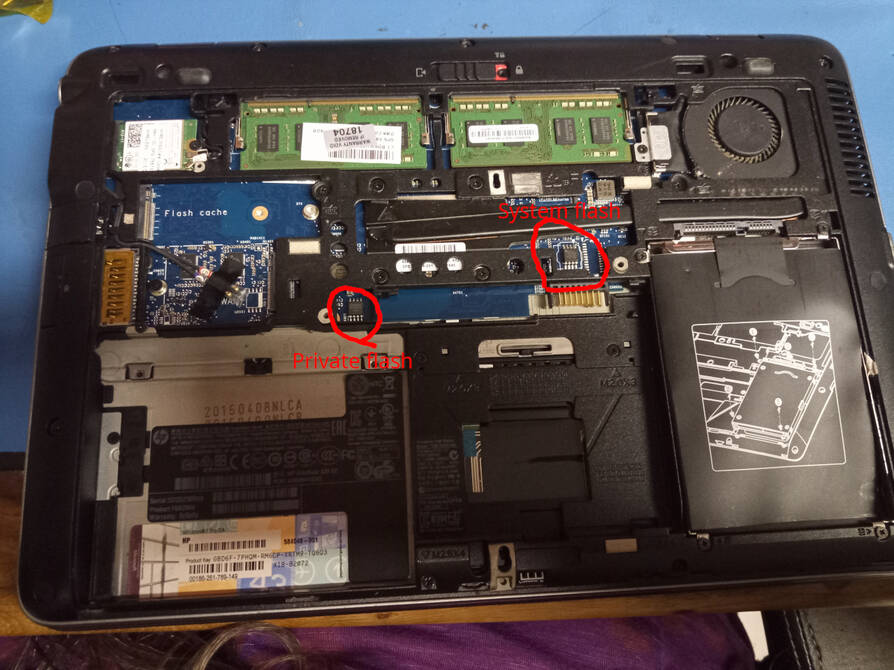
740/840/850/14/15u g2 motherboard flash chips

Erase the HP Sure Start flash chip (the 2MB one);
- On the 720/820 motherboards it is just above the battery, between the wwan slot and the cpu.
- On the other boards, it is between the wwan slot and the cmos battery, the unhighlighted/unframed one.
Check the hw-flashing guide before moving onto the next step below.
(With rpi-pico as an example, edit the line if needed.)
flashprog -p serprog:dev=/dev/ttyACM0,spispeed=16M -r priv.rom

flashprog -p serprog:dev=/dev/ttyACM0,spispeed=16M --erase
After it is erased (so the ec firmware cannot load the backup data from it to brick the libreboot installed laptop) expand the libreboot ROM file:
dd if=/dev/zero of=4mb.bin bs=4M count=1
cat libreboot.rom 4mb.bin > libreboot16.rom
Do not fully flash libreboot16.rom to avoid touching the 4MB EC firmware.
- On the 720/820 motherboards it is just above the battery connector.
- On the other boards, it is between the wwan slot and the cpu just, above the cmos battery, the highlighted/white framed one.
In case your boards uses Macronix MX25L12873F, include the -c “MX25L12833F/MX25L12835F/MX25L12845E/MX25L12865E/MX25L12873F” like:
(With rpi-pico as an example, edit the line if needed.)
flashprog -p serprog:dev=/dev/ttyACM0,spispeed=16M -c ""MX25L12833F/MX25L12835F/MX25L12845E/MX25L12865E/MX25L12873F"" -r uefi+ec.romWith the 16MB image, Check the hw-flashing guide before moving onto the next step, then write the libreboot rom split in 4 commands;
(With rpi-pico as an example, edit the line if needed.)
flashprog -p serprog:dev=/dev/ttyACM0,spispeed=16M -r uefi+ec.rom

flashprog -p serprog:dev=/dev/ttyACM0,spispeed=16M --ifd -i gbe -w libreboot16.rom
flashprog -p serprog:dev=/dev/ttyACM0,spispeed=16M --ifd -i bios -w libreboot16.rom
flashprog -p serprog:dev=/dev/ttyACM0,spispeed=16M --ifd -i me -w libreboot16.rom
flashprog -p serprog:dev=/dev/ttyACM0,spispeed=16M --ifd -i fd -w libreboot16.rom
MAC Address
Make sure to Modify MAC addresses with nvmutil in the flash.
TPM 2.0 supported
DO NOT DO THIS WITH ORIGINAL BOOT FIRMWARE, IT BECAMES UNBOOTABLE; SEE
The onboard TPM is an SLB 9660 TPM 1.2, which is upgradable to TPM 2.0, but incompatible with stock rom.
Only by externally backing up the stock flash and private flash, flashing libreboot, booting to OS, downgrading the TPM, then reflashing stock firmware from backup would make it work again. Untested, may work with HP TPM Configuration Utility on Windows.
Upgradable with TPMFactoryUpd tool from iavael’s or crass’s github repo with SLB 966x firmware;
After making it and checking the machine’s tpm version with;
TPMFactoryUpd -infoBefore upgrading, make sure the ownership is unclaimed and tpm enabled. to upgrade, use config file in the firmware folder inside the downloaded package_1.5.zip and extract the 9665FW update folder, then start the upgrade process:
TPMFactoryUpd -update config-file -config TPM12_latest.cfgNot yet used meaningfully by Libreboot itself, but the TPM can be used to implement things like measured boot.
Sure Start troubleshooting
In some cases, users report that the system never boots at all (orange blinking status LED) when doing the installation.
Although not yet confirmed scientifically (in code or otherwise), one user reported that removing the CMOS/NVRAM battery will remedy this because, according to them, some of the state pertaining to EC firmware is preserved while the battery is connected.
If you have problems, try removing the CMOS battery. This doesn’t happen on every machine tested, so perhaps there might be a setting somewhere (in the UEFI setup menu of the vendor firmware) pertaining to this? Or maybe the ones that were previously tested successfully had dead/dying CMOS batteries?
If you’re one of these people, please do report to the Libreboot project your own findings, via the contact page. Thank you.
If needed, you may ask for a complete libreboot rom image with a clean EC firmware. (At your own risk and trust, of course.)
The EC firmware is fully compatible among the listed variants.
Dedicated graphics not working
The extra gpu needs a propetiary blob (vbios) extracted from the original vendor firmware and included in the build process. It is untested and may not be advised in libreboot.
- 840/850 g2: AMD Radeon R7 M260X (system shared vRAM)
- 14 g2: AMD FirePro M4150 FireGL (1 GB GDDR5 vRAM)
- 15u g2: AMD FirePro M4170 FireGL (1 GB GDDR5 vRAM)
Extras
Non-touchscreen ones can be upgraded with it, but needs another similar cable with 4 connectors (the extra 1 for the touch screen) as it is on top of the display. HP elitebook/zbook G1 parts are fully compatible as well. (G3 untested, it might work).
Higher clocked memory modules works (1866mhz tested without problems)
Wifi button does not works above the keyboard, but shows enabled/disabled lights if controlled from the OS settings.
Intel Wifi 7 wlan cards may not work after a turn off/reboot (outdated, not tried with recent releases)
Some NVMe ssd-s are buggy in the M.2 PCIe slot (for example; WD PC sn530 NVMe is buggy, but MZ-ALQ256B Samsung PM991A works just fine without issues)
Expanded_Specifications
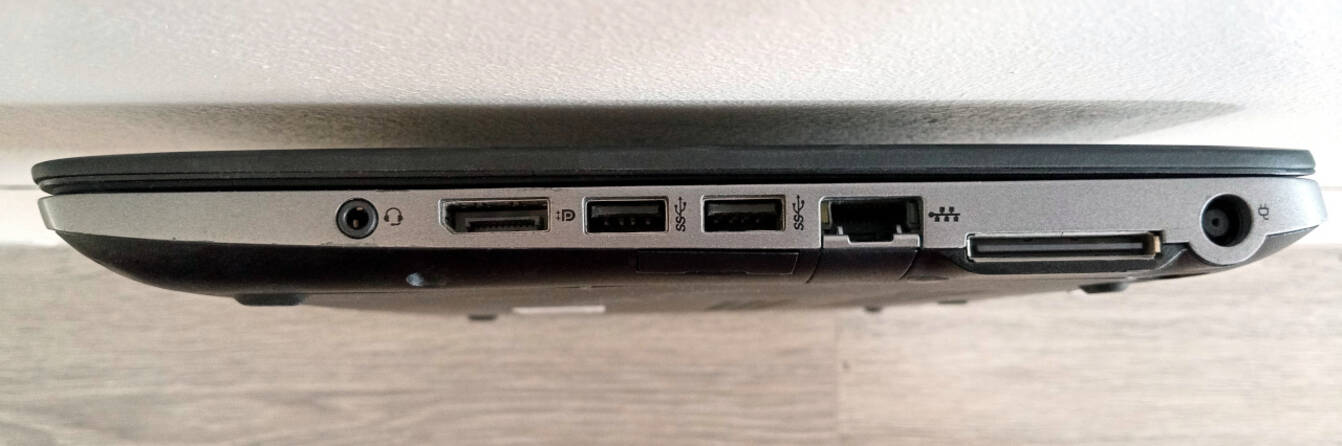
*1 HP 2013 UltraSlim Docking Station compatible.
Markdown file for this page: https://libreboot.org/docs/install/hp820g2.md
This HTML page was generated by the Libreboot Static Site Generator.