Install Libreboot on Dell OptiPlex 7010/9010/T1650 SFF/MT
!!BACKUP everything!! just in case something fails.
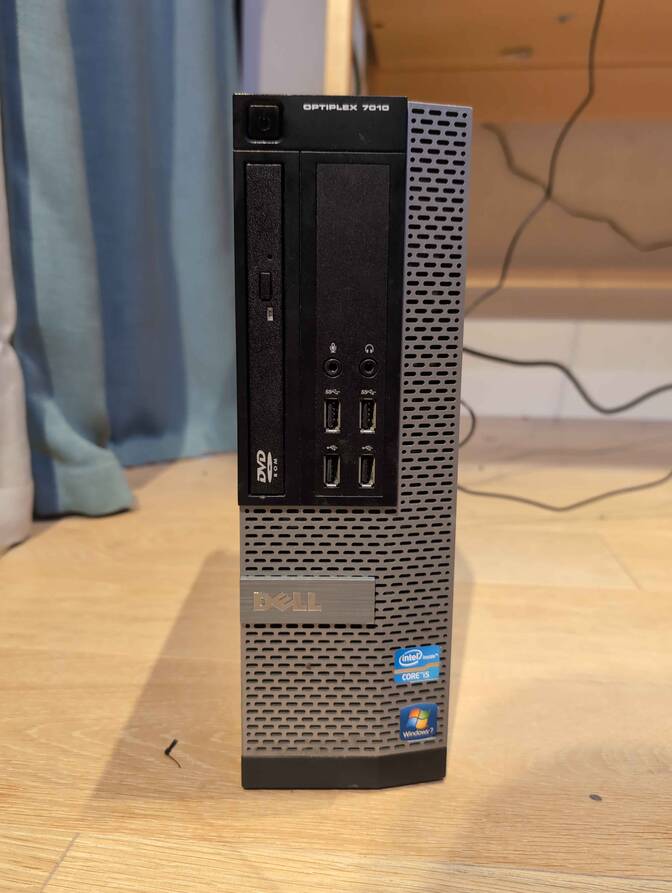
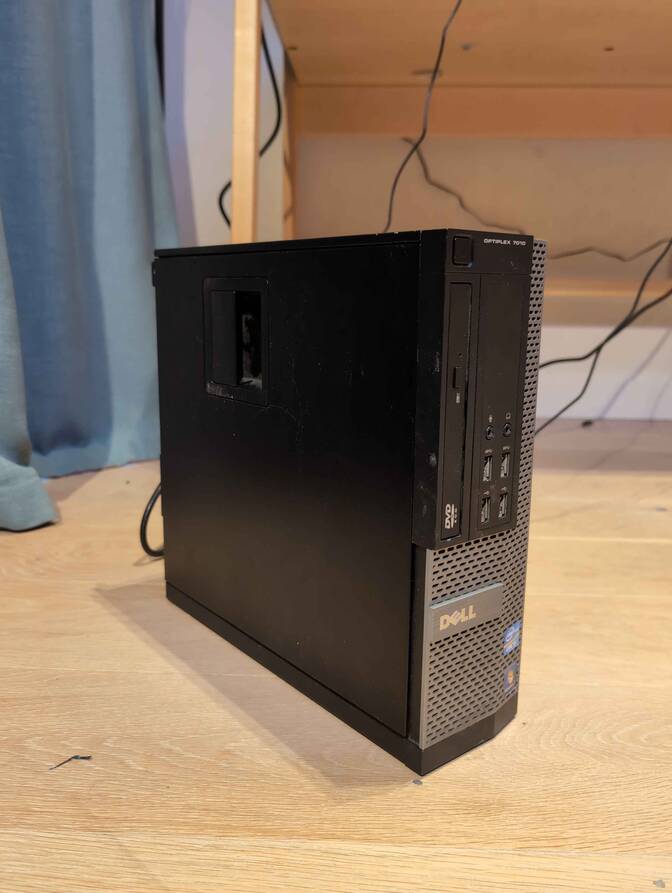
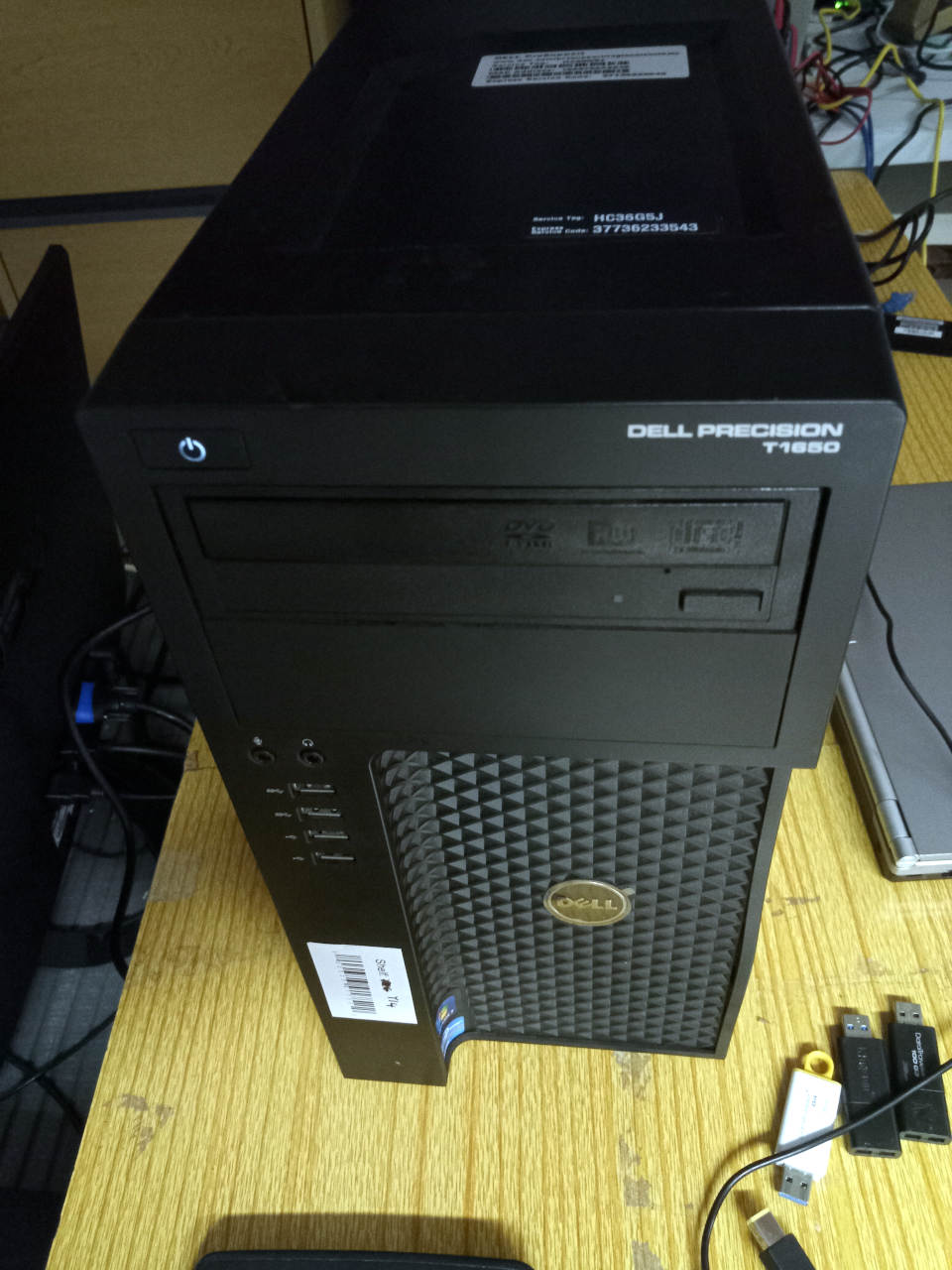
| Specifications | |
|---|---|
| Manufacturer | Dell |
| Name | OptiPlex 9010 SFF/MT |
| Variants | OptiPlex 7010/9010/T1650 SFF/MT |
| Released | 2012 |
| Chipset | Intel Q77/C216 (T1650 MT) |
| CPU | LGA 1155, Intel Ivy Bridge & Sandy Bridge |
| Graphics | Intel HD 3000 -> 4000 |
| Memory | DDR3 SODIMMs (max 32GB, 4x8GB), + ECC T1650 MT |
| Architecture | x86_64 |
| Original boot firmware | Dell UEFI firmware |
| Intel ME/AMD PSP | Present. Can be disabled with me_cleaner. |
| Flash chip | SOIC-16 and/or SOIC-8 12MiB (96Mbit) |
W+: Works without vendor firmware;
N: Doesn't work;
W*: Works with vendor firmware;
U: Untested;
P+: Partially works;
P*: Partially works with vendor firmware
?: UNKNOWN AT THIS TIME| Features | |
|---|---|
| Internal flashing with original boot firmware | W+ |
| Display (if Intel GPU) | W+ |
| Display (discrete GPU, SeaBIOS payload only) | W* |
| Audio | W+ |
| RAM Init | W+ |
| Payloads supported | |
|---|---|
| GRUB (libgfxinit only) | Works |
| SeaBIOS | Works |
| SeaBIOS with GRUB | Works |
Get the ROM image
Download from release
If you’re using a release ROM, please ensure that you’ve inserted extra firmware required refer to the guide for that (, failure to adhere to this advice will result in a bricked machine)
- Intel ME
Build from source
For the 7010/9010 SFF variants:
./mk -b coreboot dell7010sff_12mbFor the 7010/9010/T1650 MT variants:
./mk -b coreboot t1650_12mbFlash a ROM image
Software
Before internal flashing, Disable /dev/mem protection first.
In short add this kernel parameter: iomem=relaxed(linux distro)/kernel.securelevel=-1(bsd distro)
THEN REMOVE THIS KERNEL PARAMETER TO PREVENT UNAUTHORIZED/MALICIOUS ACCESS TO YOUR SYSTEM AFTER FLASHING LIBREBOOT.
(An important reminder for those who might forget to delete it, even better, replace it with lockdown=integrity / lockdown=confidentiality)
Backup the previous (working) firmware (atleast) twice (to check and compare if reading it gone wrong and backups differs.)
flashprog -p internal -r Backup1.bin

flashprog -p internal -r Backup2.bin
Check and compare those if reading from the flash were successful:
diff Backup1.bin Backup2.binFor more than 2:
shasum Backup1.bin Backup2.bin Backup3.binIf those differs, something gone wrong and proceeding further may (DON’T) leave your device unrecoverable (without a reliable backup) if flashing fails as well.
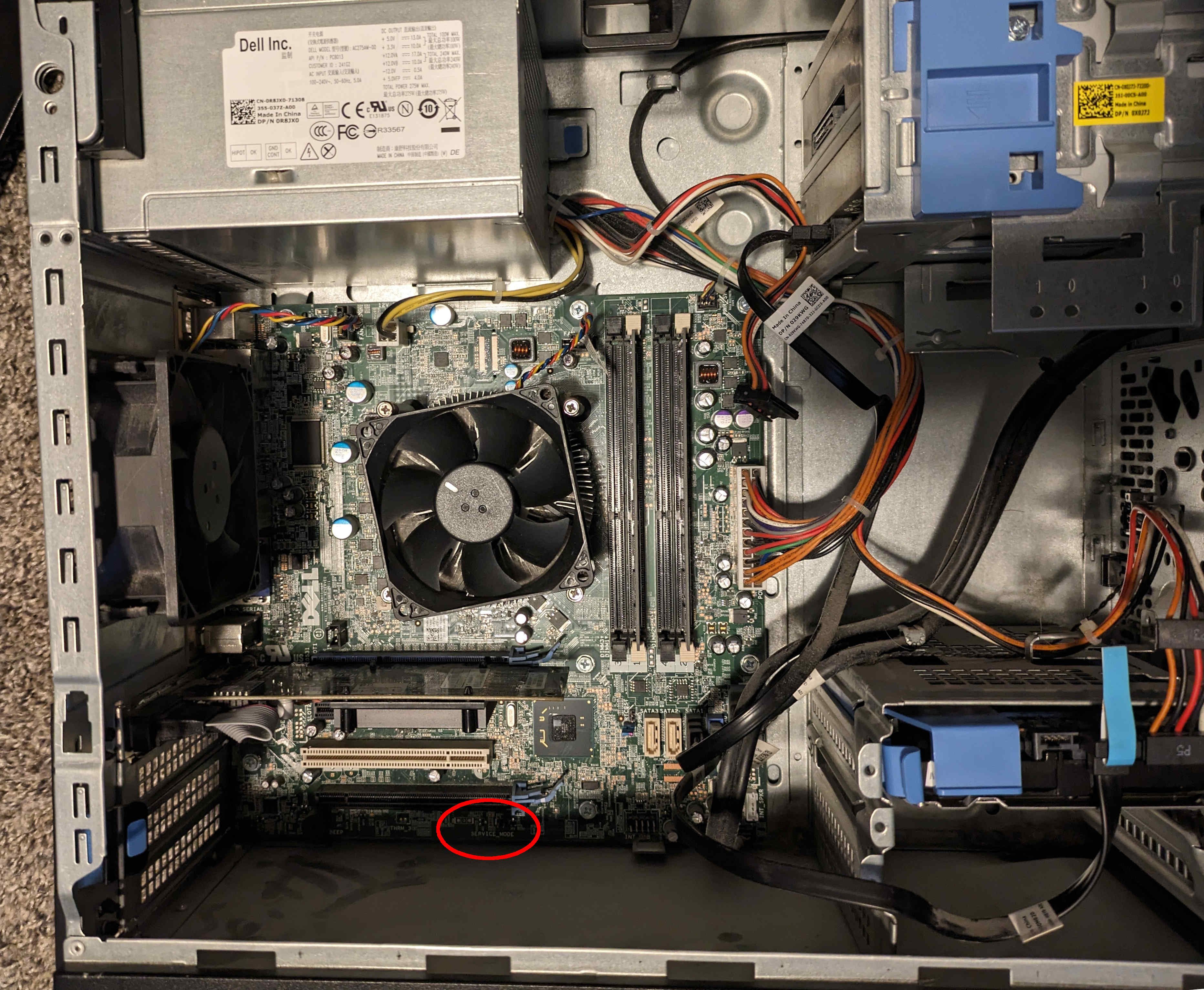
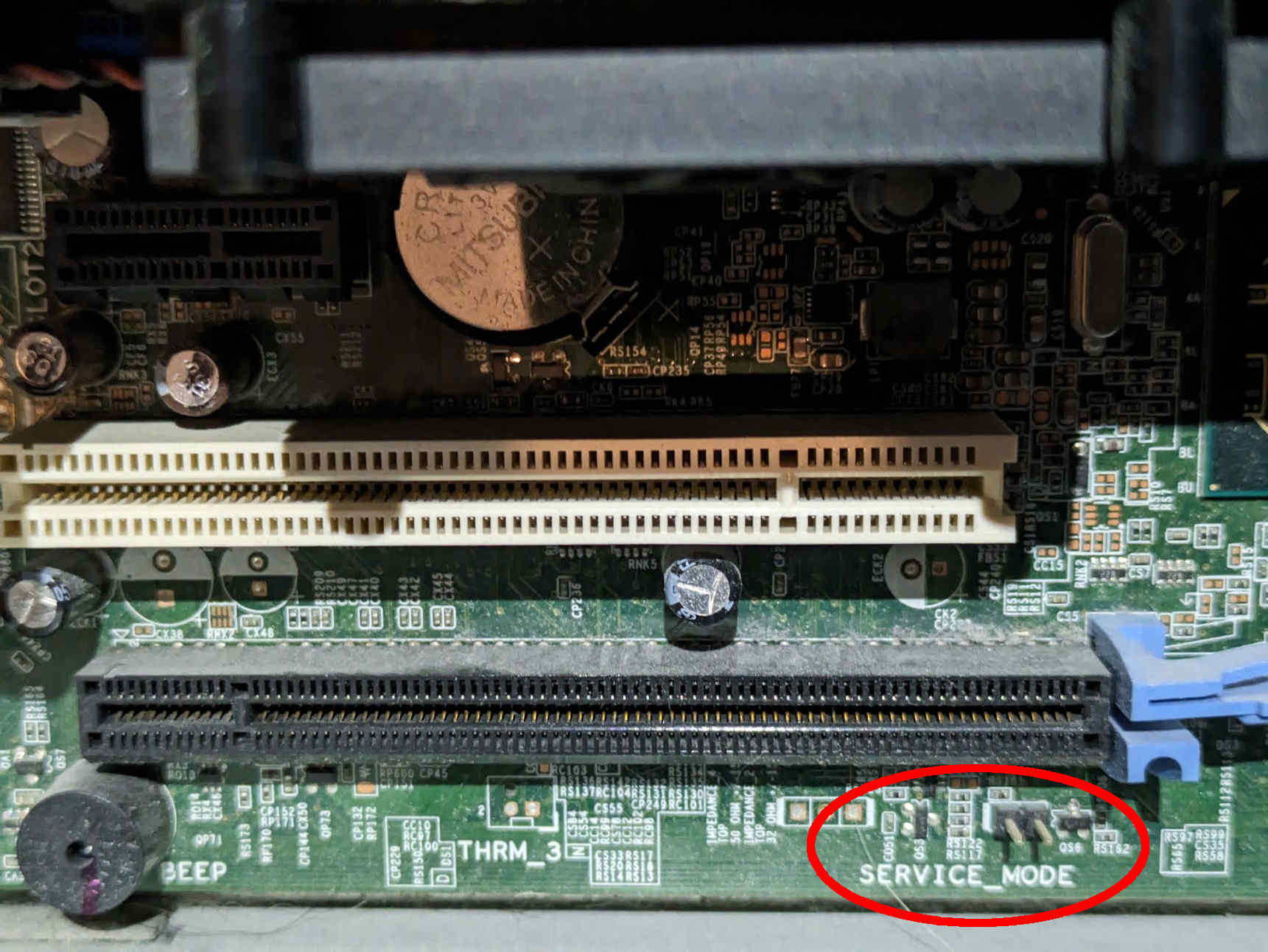
Internal flashing is also possible from the factory BIOS, if you set the service mode jumper. This shorts HDA_SDO (Soft Descriptor Override), which disables the ME after early bringup and disables IFD-based flash protections.
Just short the service jumper when booting and all flash protection is disabled.
Note: The Dell BIOS can write EFI variables to flash when shutting down, which could corrupt the newly flashed Libreboot ROM and render the system unusable. To prevent this, after flashing internally from the original Dell BIOS, remove power from the computer instead of shutting it down normally. It’s recommended to use a live USB instead of the internal drive to prevent potential filesystem corruption.
For 7010/9010 SFF:
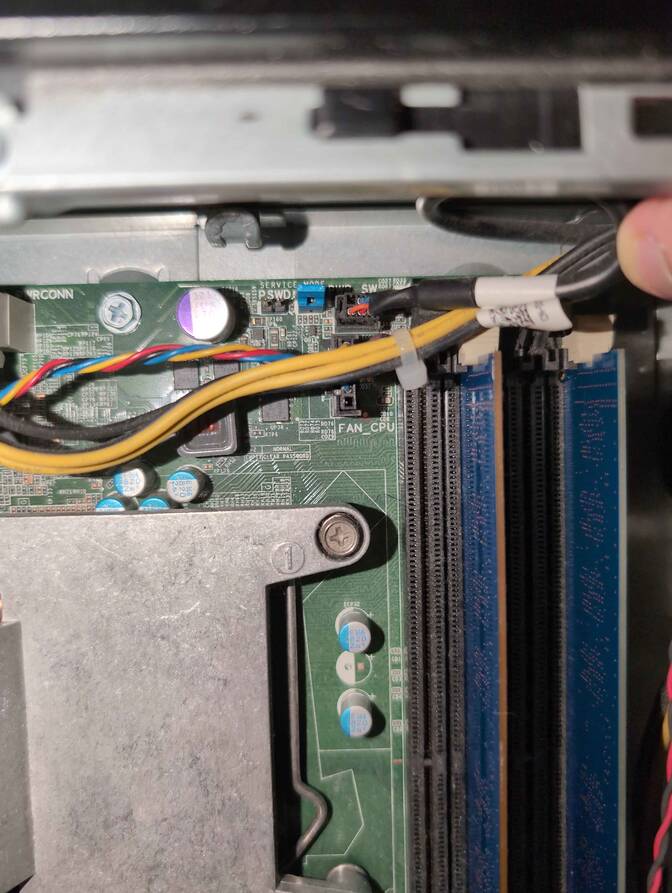
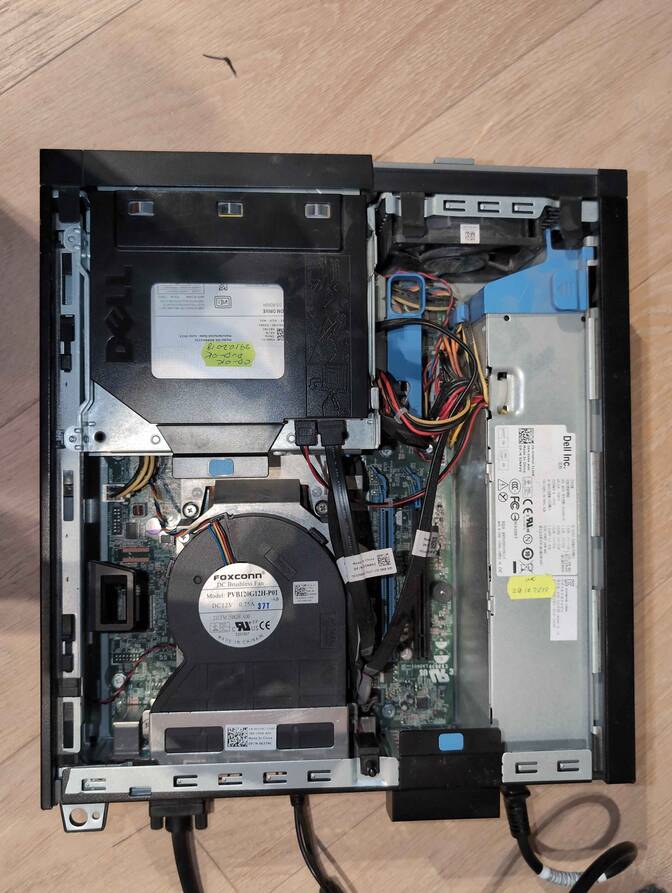
It’s near the RAM, under where the HDD goes (click the photos shown above).
For 7010/9010/T1650 MT:
Observe, below the PCI slots:
Here is a close-up:
If you’re already running Libreboot, and you don’t have flash protection turned on, internal flashing is possible.
Hardware
For general information, please refer to 25xx NOR flash instructions - that page refers to use of socketed flash.
Backup the previous (working) firmware twice (to check and compare if reading it gone wrong and backups differs.)
flashprog -p serprog:dev=/dev/ttyACM0,spispeed=16M -r Backup1.bin

flashprog -p serprog:dev=/dev/ttyACM0,spispeed=16M -r Backup2.bin
Check and compare those if reading from the flash were successful:
diff Backup1.bin Backup2.binFor more than 2:
shasum Backup1.bin Backup2.bin Backup3.binIf those differs, something gone wrong and proceeding further may (DON’T) leave your device unrecoverable (without a reliable backup) if flashing fails as well.
This machine is somewhat cumbersome to flash, because it has a SOIC-16 flash for the first 8MB part, and 4MB SOIC8. You can split up your 12MB ROM image like so:
dd if=libreboot.rom of=4mb.rom bs=1M skip=8
dd if=libreboot.rom of=8mb.rom bs=1M count=8
The side cover comes off easily, and you can find the flash ICs next to the RAM.
No photos yet, but the two flash ICs are next to each other, and near to where the PCH is.
Set MAC address
This platform uses an Intel Flash Descriptor, and defines an Intel GbE NVM region. As such, release/build ROMs will contain the same MAC address. To change the MAC address, please read nvmutil documentation.
ECC Memory Support
(Unregistered) ECC memory works with Pentium/celeron & xeon e3 v1/v2 cpus on T1650 MT only.
ECC allows for more stable desktop experience (especially for prolonged usage) and ensuring data integrity with error corrections and mitigating certain defects that develop over time in the RAM (it will not account for all defects, and memory always needs to be replaced eventually)
list of Compatible 3rd gen. Pentium and Celeron & Compatible 3rd gen. Xeons v2 & Compatible 2nd gen. Xeons v1
Custom Mods
Expanded_Specifications
The Canoeboot version of this page is: https://canoeboot.org/docs/install/dell7010.html
Markdown file for this page: https://libreboot.org/docs/install/dell7010.md
This HTML page was generated by the Libreboot Static Site Generator.