Install Libreboot on HP EliteBook 2170p
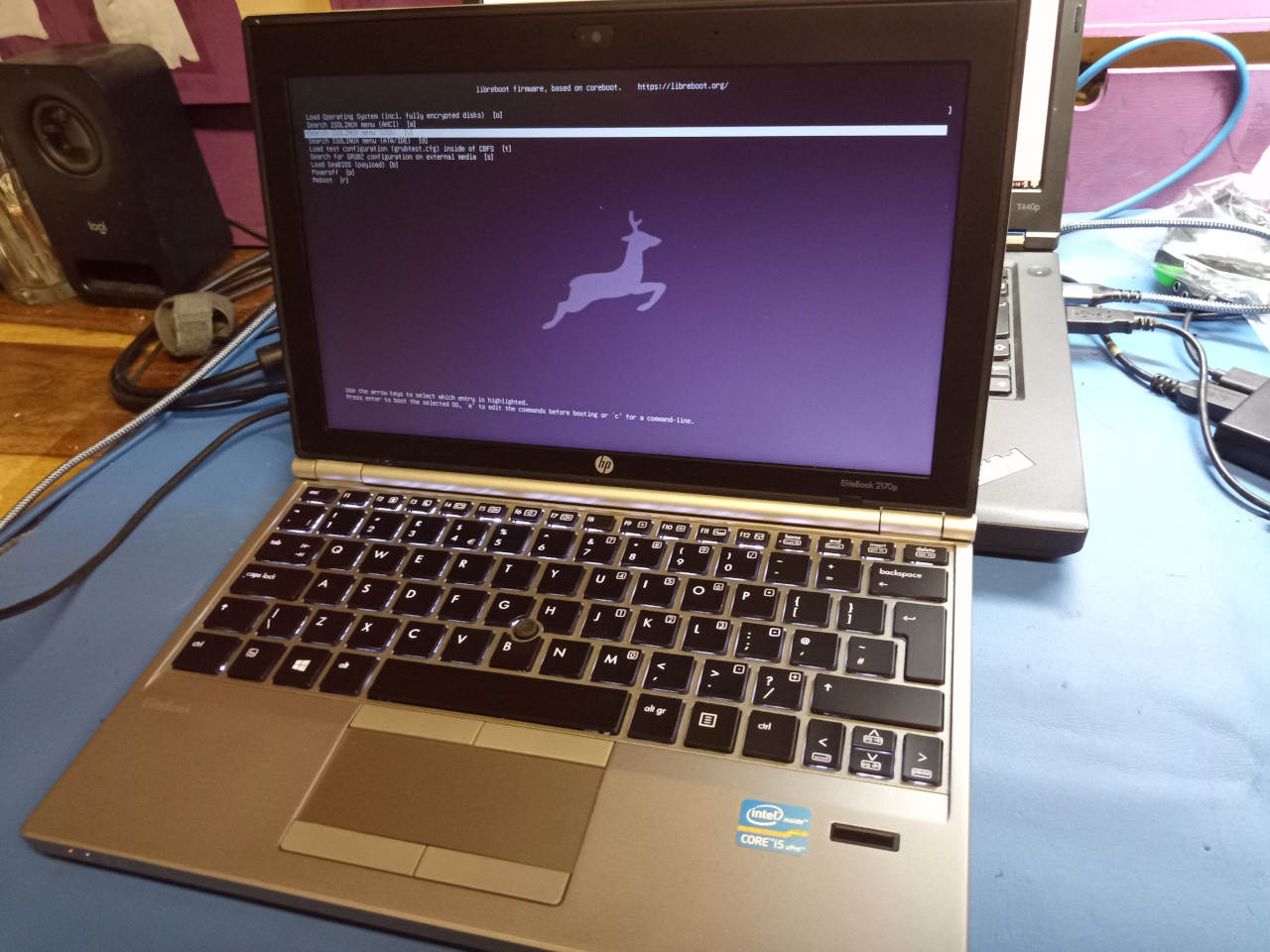
| Specifications | |
|---|---|
| Manufacturer | HP |
| Name | EliteBook 2170p |
| Released | 2012 |
| Chipset | Intel QM77 |
| CPU | Intel Ivy Bridge ULV |
| Graphics | Intel HD 4000 |
| Display | 11.6" 1366x768 TFT |
| Memory | 16 GB DDR3L SODIMMs (2x8 GB) |
| Architecture | x86_64 |
| EC | SMSC KBC1126, proprietary |
| Original boot firmware | HP UEFI firmware |
| Intel ME/AMD PSP | Present. Disabled with me_cleaner. |
| Flash chip | SOIC-8 16MiB/128Mbit, Socketed |
W+: Works without vendor firmware;
N: Doesn't work;
W*: Works with vendor firmware;
U: Untested;
P+: Partially works;
P*: Partially works with vendor firmware| Features | |
|---|---|
| Internal flashing with original boot firmware | N |
| Display (if Intel GPU) | W+ |
| Audio | W+ |
| RAM Init | W+ |
| External output | W+ |
| Display brightness | W+ |
Get the ROM image
Download from release
If you’re using a release ROM, please ensure that you’ve inserted extra firmware required refer to the guide for that (, failure to adhere to this advice will result in a bricked machine):
- Intel ME (vendor blob)
Build from source
./mk -b coreboot hp_elitebook_2170p_16mb_uefiInternal/Software Flashing
Default Libreboot firmwares updatable.
External/Hardware Flashing
REMOVE all power sources like battery, charger and so on, before doing this. This is to prevent short circuiting and power surges while flashing; although the flash is socketed, hot-swapping is generally a bad practice and must be avoided.
Otherwise, external flashing is simple, but quite different from most laptops! The flash is a SOIC8 IC like you’d expect, but it’s in a socket.
Remove those two screws and cover on the underside, and then the flash is in this socket which you can open:
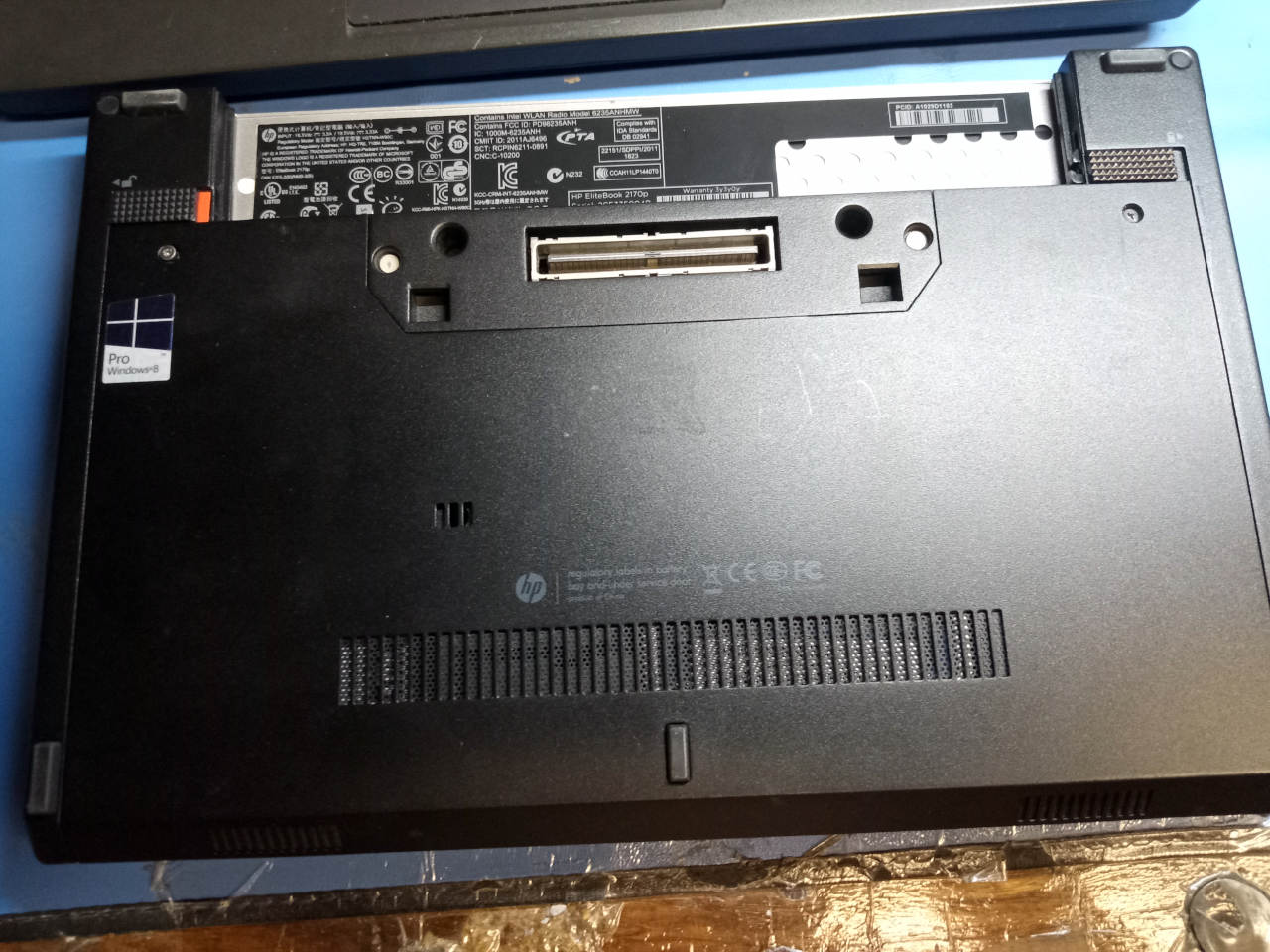
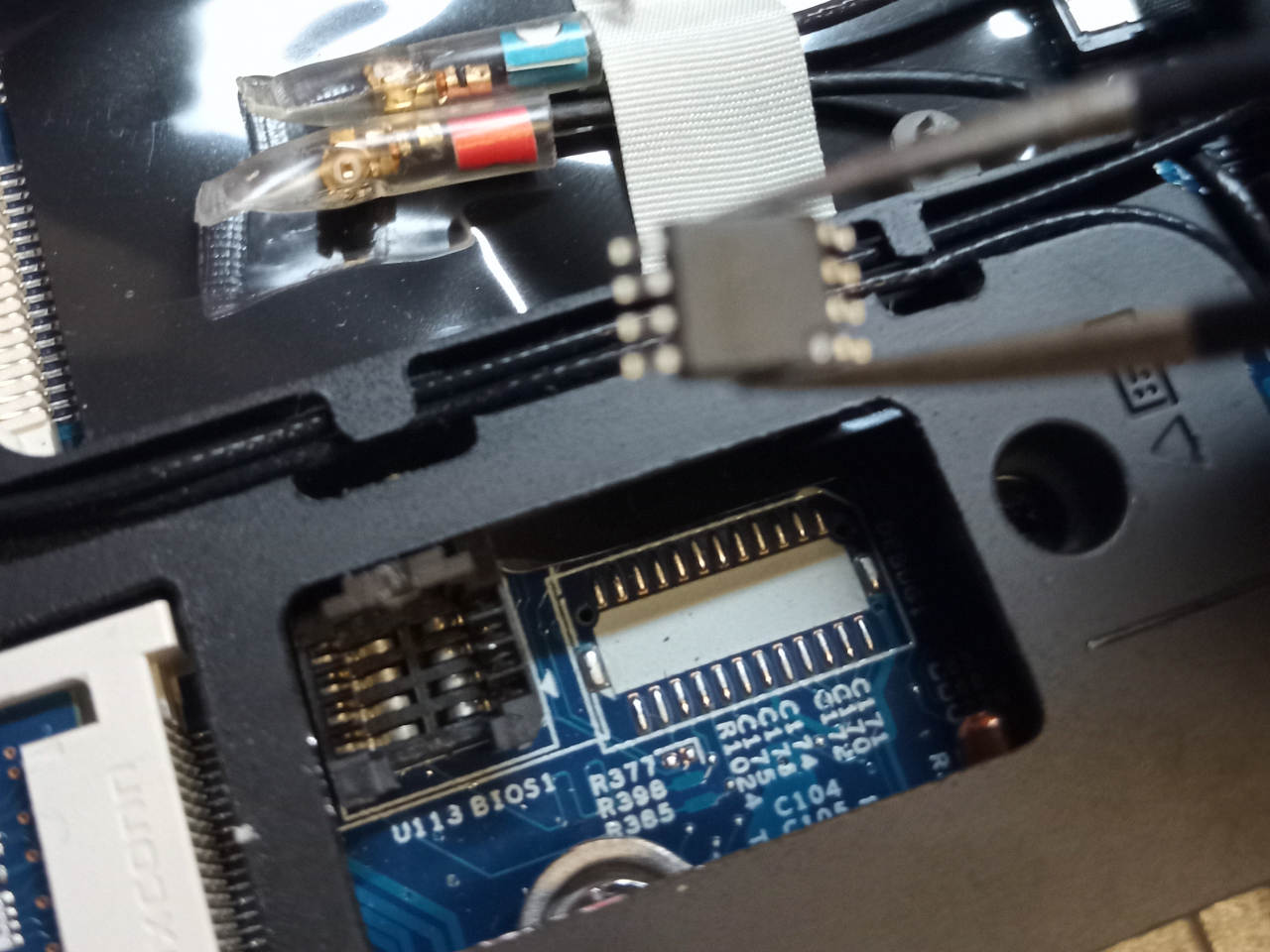
For this board, you can use a Raspberry Pi or similar flasher if you wish, wired to a spring socket adapter (SOP to DIP adapter) in a breadboard. In my case, I opted for use of a 3.3v-modded CH341A device.
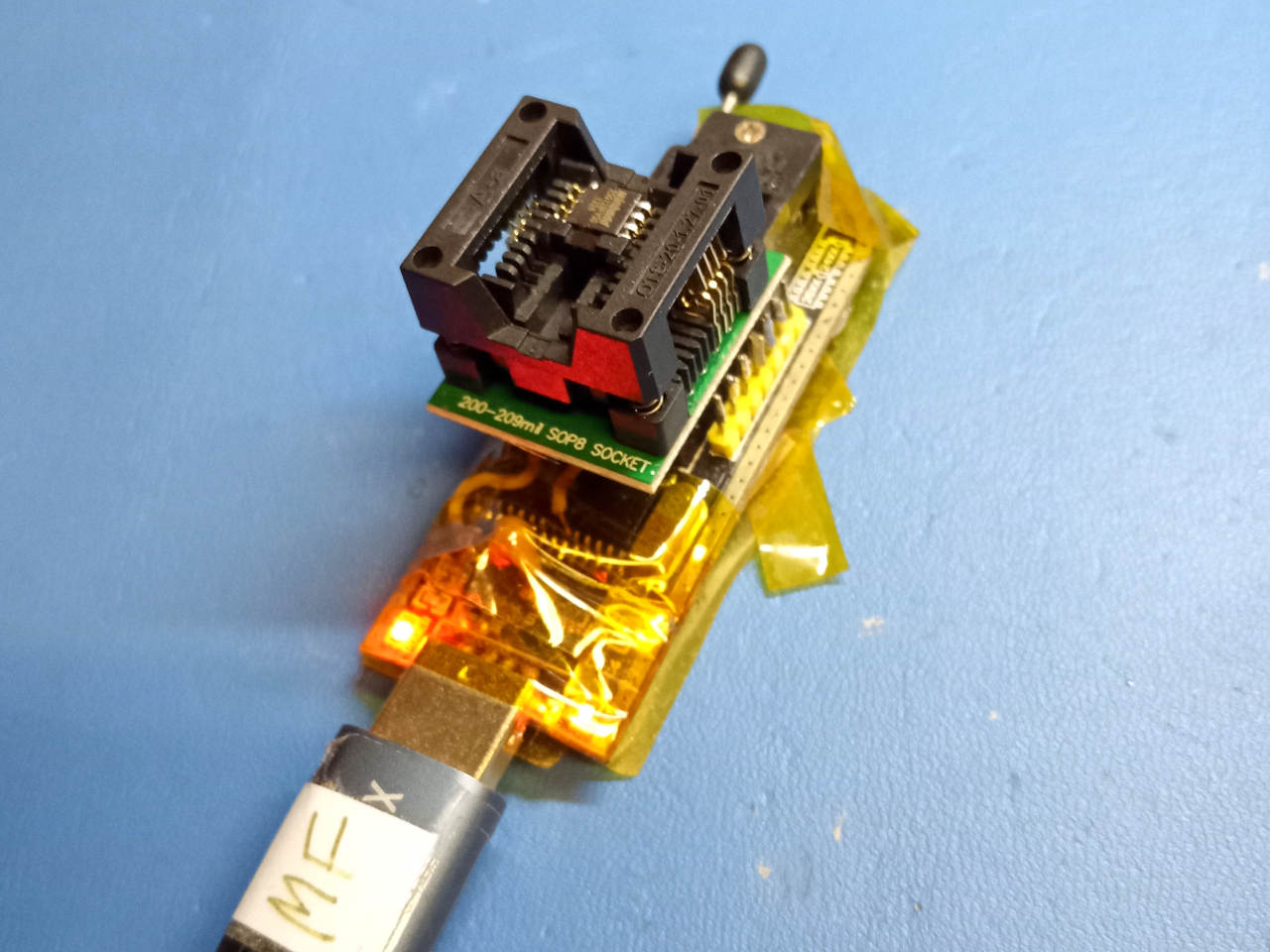
Here, the flash is inserted into the SOP to DIP adapter, which is then put into the ZIF socket on the CH341a device. This is the black version which has 5V logic levels, but it can (read: MUST) be modified for correct 3.3v logic levels. The main 25xx flashing guide documents this; some other models may already be 3.3v, or have switchable logic levels like on some newer revisions of CH341A. Please ensure that you run it at the correct voltage.
Check the hw-flashing guide before moving onto the next step below.
Flash it: (With rpi-pico as an example, edit the line if needed.)
flashprog -p serprog:dev=/dev/ttyACM0,spispeed=16M -w filename.romSet MAC address
This platform uses an Intel Flash Descriptor, and defines an Intel GbE NVM region. As such, release/build ROMs will contain the same MAC address. To change the MAC address, please read nvmutil documentation.
Expanded_Specifications

| Specifications | |
|---|---|
| Manufacturer | HP |
| Name/Variant | Elitebook 2170p |
| Released | 2012 |
| Chipset | Intel QM77 |
| CPU | Intel i3-3217U, i5-3317U, i5-3427U, i7-3667U |
| Graphics | Intel HD 4000 |
| Display | 11.6" 1366x768 TFT |
| Memory | DDR3L SODIMMs (max. 16 GB, 2x8 GB) |
| Audio | IDT 92HD80 HD |
| Networking | Intel 82579LM, Intel Centrino Advanced-N 6235, Optional optional modules; 3G/4G |
| Storage connectors | SATA III |
| I/O Ports on Left | Security cable slot (Kensington lock), USB 3.0, SmartCard Reader, Displayport, Jack audio combo in (headphone; mic+speaker) |
| I/O Ports on Right | SDXC with USB 2.0, VGA, RJ-45 1GbE (Ethernet), USB 3.0, |
| I/O Ports on Bottom | Custom dock connector*1 |
*1 HP 2012 Docking Stations compatible; HSTNN-I11X models
Markdown file for this page: https://libreboot.org/docs/install/hp2170p.md
This HTML page was generated by the Libreboot Static Site Generator.