Install Libreboot on HP Compaq Elite 8200 SFF/MT & 6200 Pro
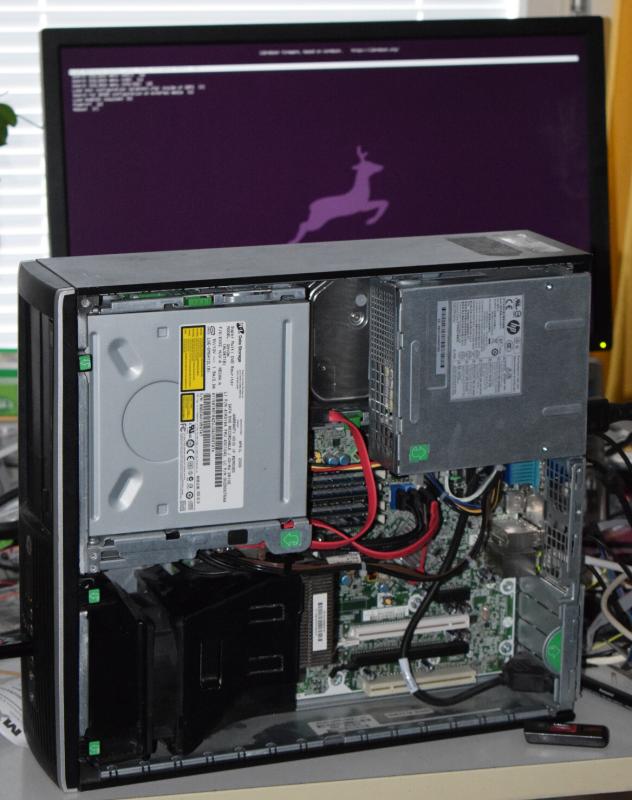
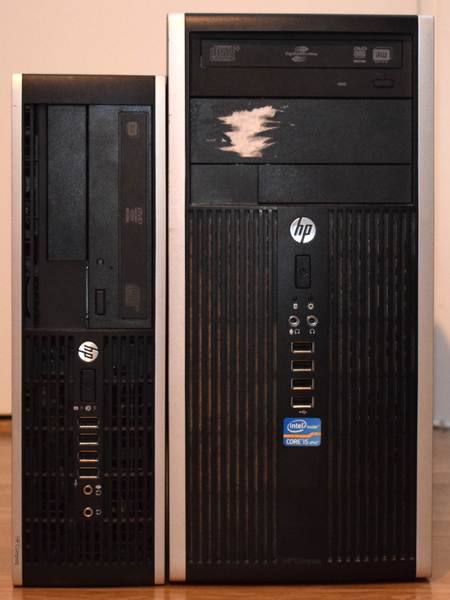
| Specifications | |
|---|---|
| Manufacturer | HP |
| Name | Compaq Elite 8200 & 6200 Pro MT/SFF |
| Released | 2011 |
| Chipset | Intel Q67 |
| CPU | LGA 1155, Intel 2-3rd gen. |
| Graphics | Intel HD 3000/4000 |
| Memory | 32GB DDR3 SODIMMs (4x8GB) |
| Architecture | x86_64 |
| Intel ME/AMD PSP | Present. Disabled with me_cleaner. |
| Flash chip | SOIC-8 8MiB/64Mbit |
W+: Works without vendor firmware;
N: Doesn't work;
W*: Works with vendor firmware;
U: Untested;
P+: Partially works;
P*: Partially works with vendor firmware| Features | |
|---|---|
| Internal flashing with original boot firmware | W* |
| Display (Intel GPU) | W+ |
| Display (PCIe graphics card) | W+ |
| Audio | W+ |
| RAM Init | W+ |
These 3 devices uses the same motherboard, regardles of the case sizes.
Get the ROM image
Download from release
If you’re using a release ROM, please ensure that you’ve inserted extra firmware required refer to the guide for that (, failure to adhere to this advice will result in a bricked machine):
- Intel ME (vendor blob)
Build from source
Use the first one to upgrade from the vendor firmware (MT/SFF):
./mk -b coreboot hp_elite_8200_sff_4mbTo update the Libreboot firmware on a librebooted one (MT/SFF):
./mk -b coreboot hp_elite_8200_sff_8mbInternal/Software Flashing
Internal flashing from OEM BIOS is possible by setting a jumper on the board.
The vendor BIOS imposes write-protections in the Flash Descriptor and runtime. However, the flash descriptor can be bypassed by bridging a jumper and the runtime protections only apply to a fixed address block. Since neutering the Management Engine frees up a lot of space, we can just install an intermediate Libreboot image there. This removes all write-protections so has the same end result as external flashing: a completely unlocked system.
Power off the computer. Remove the side panel. Near the back USB ports find the jumper labelled FDO.
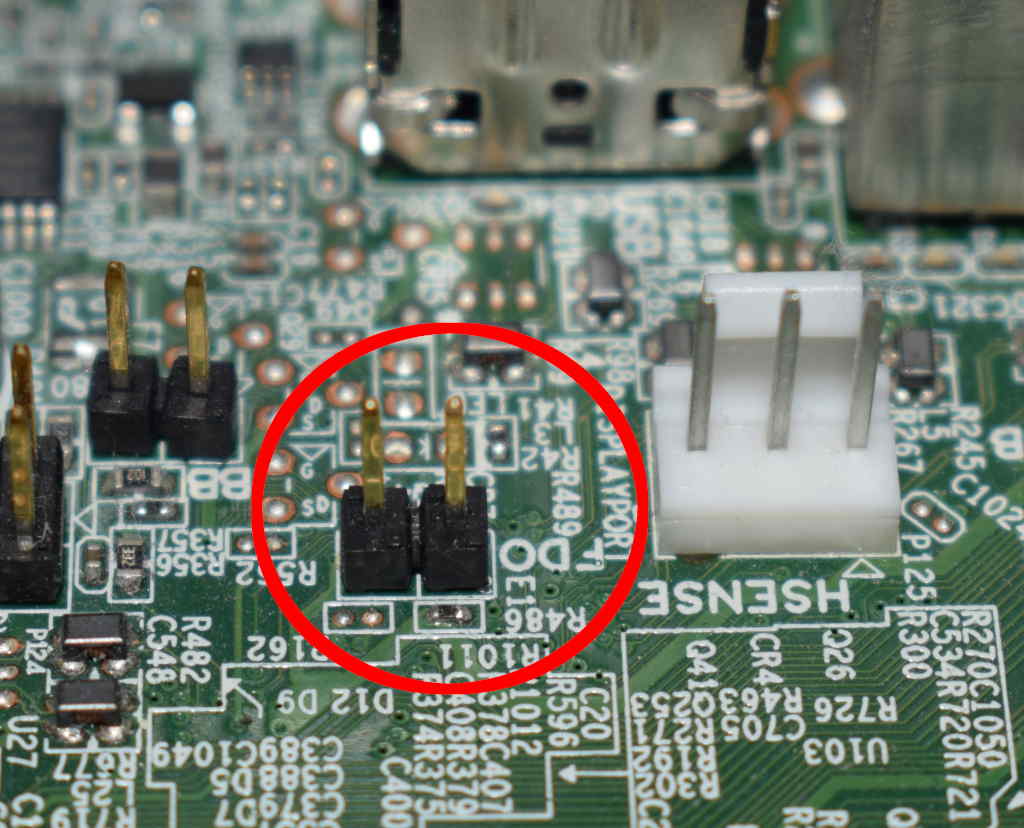
You need to short the two pins circled. Use a jumper block if you have one but a screwdriver will do the job fine too. Hold the tip between the pins until you can see the normal BIOS boot screen.
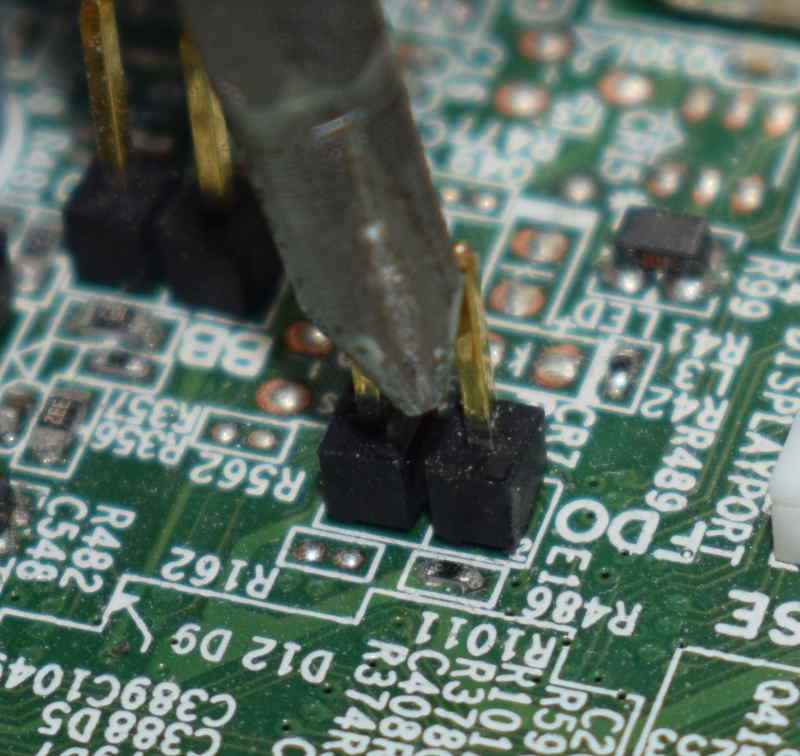
Now, run this command:
flashprog -p internalNOTE: If flashprog complains, detecting multiple chips, just pick one, and specify it using the -c option as indicated by flashprog.
After the jumper set, follow the guide to backup only
The output should contain the text “The Flash Descriptor Override Pin-Strap is set”. If it doesn’t, start again from the beginning.
Now build the 4 MiB Libreboot image (MT/SFF).
./mk -b coreboot hp_elite_8200_sff_4mbAlso build ifdtool. It will be needed soon.
cd src/coreboot/default/util/ifdtool
make
sudo make install
Now choose the image you want from bin/hp8200sff_4mb. We’ll refer to it as libreboot4.rom. We need to pad it to 8 MiB:
dd if=/dev/zero bs=4M count=1 >> libreboot4.romFlash the Libreboot image with a tweaked layout:
ifdtool libreboot4.rom -f layout
flashprog -p internal -w libreboot4.rom -l layout -i fd -i gbe -i bios -i me
Power off the computer. Make sure to power off, rebooting is not enough!
Power on the computer.
Boot, follow the guide to flash.
Power cycle the computer again.
### External/Hardware Flashing
Instructions and flash chips locations (works for the MT too)
REMOVE all power sources and connectors from the machine, before doing this. This is to prevent short circuiting and power surges while flashing.
Check the hw-flashing guide before moving onto the next step below.
Flash it: (With rpi-pico as an example, edit the line if needed.)
flashprog -p serprog:dev=/dev/ttyACM0,spispeed=16M -w filename.romSet MAC address
This platform uses an Intel Flash Descriptor, and defines an Intel GbE NVM region. As such, release/build ROMs will contain the same MAC address. To change the MAC address, please read nvmutil documentation.
Expanded_Specifications
The Canoeboot version of this page is: https://canoeboot.org/docs/install/hp8200sff.html
Markdown file for this page: https://libreboot.org/docs/install/hp8200sff.md
This HTML page was generated by the Libreboot Static Site Generator.